Load Newsreader Bold Font
If you’ve ever redesigned a headline, swapped a button color, or rewritten your call-to-action based on a hunch, you’ve been treating your website like a canvas, something to tweak until it feels right. That’s the artist’s approach. And it’s costing you sales and sign-ups you’ll never know you lost. But, website A/B testing flips that mindset entirely.
Instead of guessing what might work, you run a controlled experiment, let real visitor data decide, and roll out only what’s actually proven to convert better. It’s the difference between decorating your site and engineering it.
Here’s a full walk-through of what website A/B testing is, the best practices that actually move the needle, and exactly how to set up your first test using a free tool.
Table of Contents
- What Is Website A/B Testing?
- What You Need to Run a Test
- Not All Tests Are Created Equal
- Rule #1: Test One Element at a Time
- Think Like a Scientist, Not an Artist
- How to Actually Set Up an A/B Test (Using VWO)
- Reading Your Results
- FAQ: Website A/B Testing
- Key Takeaways
What Is Website A/B Testing?
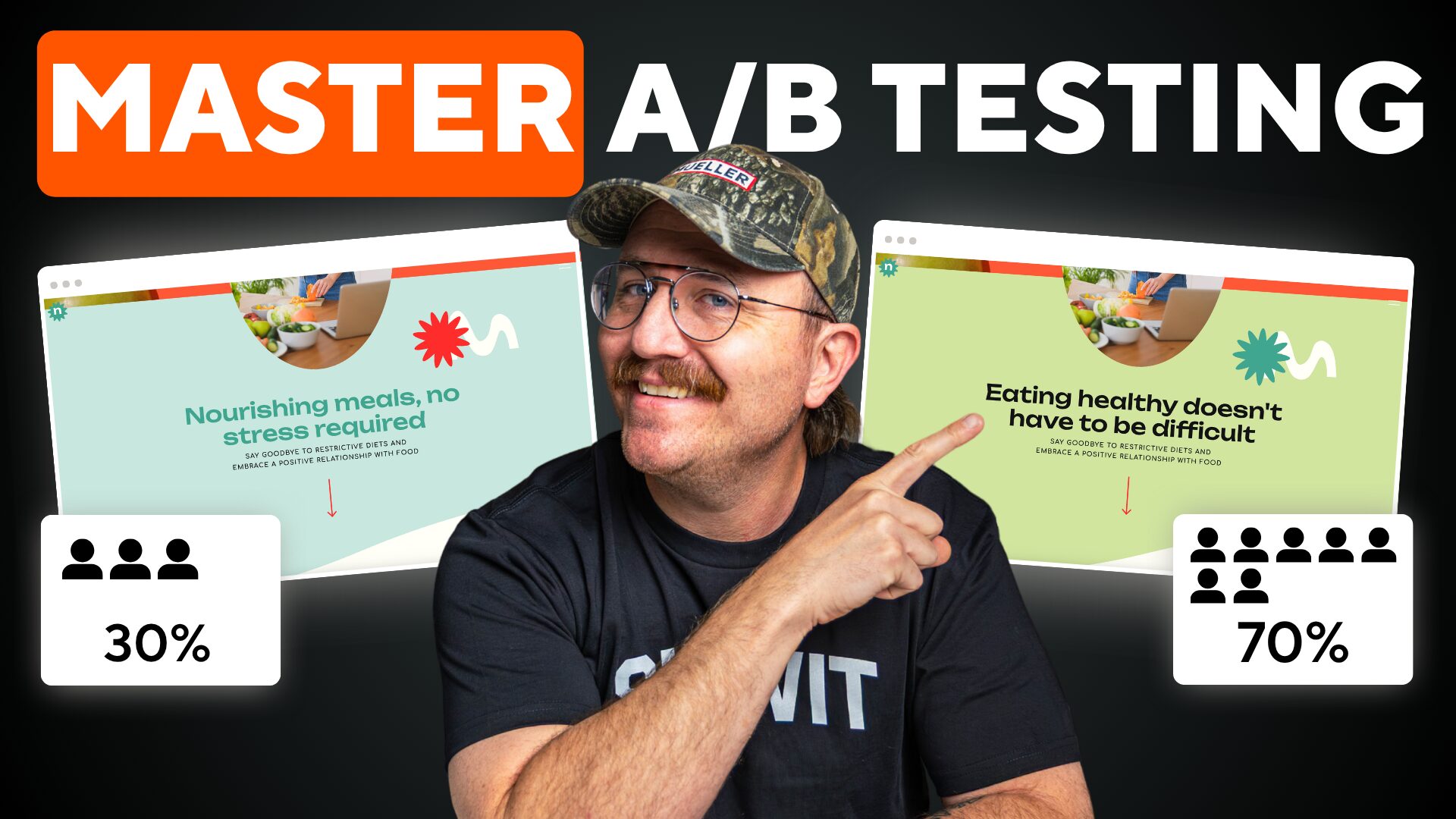
At its core, A/B testing is simple, you create two versions of a web page and show each version to a portion of your visitors. Then you compare which version gets more people to take the action you want.
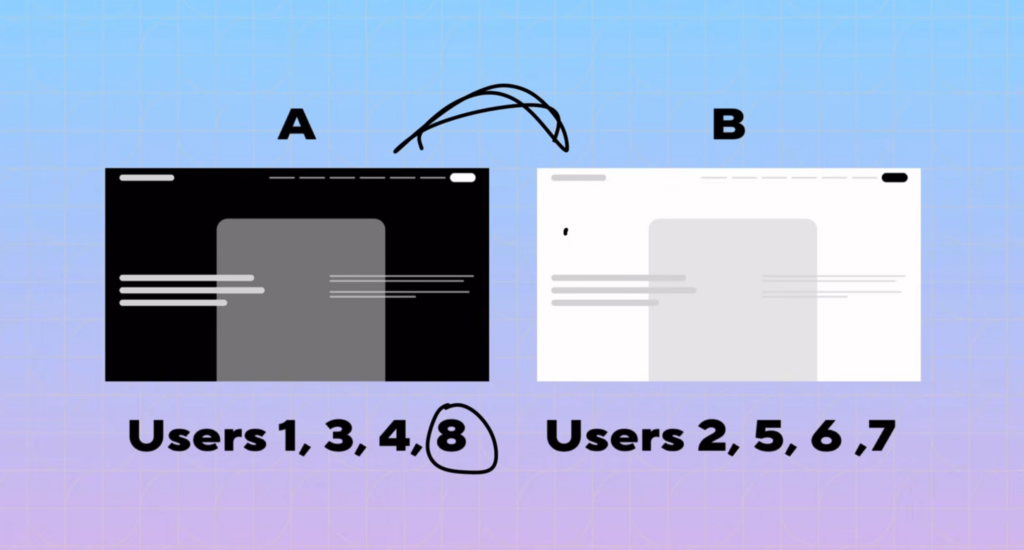
Picture eight visitors landing on your site. Four of them (users 1, 3, 4, and 8) see Version A — say, a page with a dark background. The other four (users 2, 5, 6, and 7) see Version B, which has a light background. After tracking sign-ups, you find that three people from the Version B group converted, but only one person from Version A converted. That tells you Version B is the winner — and you should roll it out to everyone.
That’s obviously a simplified example, but it illustrates exactly what’s happening behind the scenes of every A/B test: split your traffic, measure outcomes, and let the data pick the winner.
What You Need to Run a Test
To run an A/B test, you really only need two things:
- A variation: a changed version of your current page. This could be a different headline, a different color scheme, or a different layout of elements on the page.
- A goal: the specific action you want a visitor to take. For most sites, that’s landing on a thank-you page, completing a checkout, or filling out a sign-up form.
Before you test anything, ask yourself: what is the final resting place I want a visitor to end up at? That destination is what you’ll be measuring against.
Not All Tests Are Created Equal
Here’s the part most people get wrong: they test things that don’t actually matter. A slightly different shade of red on a button is not going to move your conversion rate. It’s a waste of time.
Instead, focus your testing energy on the elements that actually influence behavior:
- Headlines: the copy that frames each section of your page
- Button/CTA text: what your calls-to-action actually say
- Images: visuals that resonate differently with different audiences
These are the elements that have consistently proven to shift result.
Rule #1: Test One Element at a Time
It’s tempting to change the image, the headline, and the button text all at once, hoping to get a bigger win. Don’t do it.
If you change multiple elements simultaneously and one version outperforms the other, you’ll have no way of knowing why. Was it the headline? The button? The image? You’ll never know and that uncertainty makes the test far less useful going forward. (This kind of test is called a multivariate test, and while it exists, it’s not reliable for isolating what actually caused the change.)
Instead: test one variable, find a winner, keep that winner as your new baseline, and then test the next variable. Keep iterating — one change at a time until your page is fully optimized.
Think Like a Scientist, Not an Artist
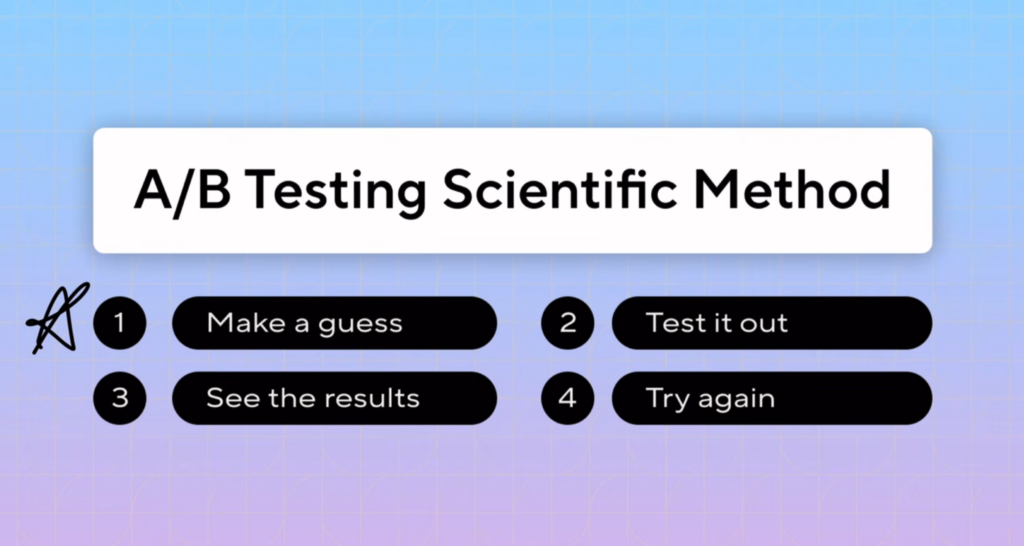
This is the mindset shift at the heart of website A/B testing. An artist changes something because it feels better. A scientist changes something, tests it, and lets the data decide. The best mental model for A/B testing is the scientific method itself:
- Make a hypothesis: a guess about a change that will help more visitors reach your goal.
- Run the test: put your hypothesis into an actual A/B test.
- Analyze the results: was the variation dramatically better? Slightly better? Worse?
- Try again: use what you learned to form your next hypothesis.
Over time, your hypotheses get sharper. You’ll build a history of “this worked” and “this didn’t,” and that history becomes your intuition for what’s worth testing next. You should always have something running on your site — continuous testing is how continuous optimization happens.
How to Actually Set Up an A/B Test (Using VWO)
You don’t need to write a single line of code to run a proper A/B test. A free tool called VWO handles all of the heavy lifting. Here’s the step-by-step setup. You can read the step by step instructions below, but if you would rather watch someone do it and follow along, check out the full video at the beginning of the post.
1. Install the Tracking Code
In your VWO dashboard, go to Configurations → Websites and Apps, select your site, and choose how you want to integrate. WordPress, Drupal, Shopify, Wix, Prestashop, Joomla, Showit or a plain HTML snippet. If you’re using the HTML option, copy the snippet, go to your site’s Integrations settings, add custom code, and paste it into the <head> of your site. Save it, and VWO is now live on your site.
2. Create a New Test
From your VWO dashboard, click Create, then choose what you’re testing for example, your homepage CTA button. Add the URL of the page you want to test. VWO will show checkmarks next to each setup step you’ve completed correctly, and exclamation marks for anything still missing.
3. Build Your Variation
Once your page is configured, go to Variations. You’ll see the Control your page exactly as it is now. Add a new variation (this is the “B” in A/B), then click Launch Editor.
Inside the visual editor, simply click on the element you want to change and select Edit Element. From there you can change text, fonts, dimensions, colors, borders nearly anything. But remember: most of these options aren’t worth testing. Stick to the high-impact elements (headline, CTA text, images).
Example hypothesis: Instead of a button that says “Create Your Site,” test “Start a Free Trial.” The reasoning: “Create Your Site” implies a bigger commitment, which might cause hesitation. “Start a Free Trial” feels lower-risk, so it may convert better.
4. Set Your Metrics
Decide what you’re measuring. At minimum, track clicks on your test element (in VWO, use the Track Clicks option and label it clearly, like “CTA Click”). You can also add a secondary metric — for example, tracking visits to your account-creation page by URL, so you can see whether clicks actually translate into completed sign-ups, not just clicks.
5. Launch the Test
Once your metrics are set, click Start Test / Start Campaign, and VWO begins splitting traffic and tracking results automatically.
Before you test, make sure you’re tracking website visitors so you have a baseline to compare against.
Reading Your Results
As your test runs, VWO shows you a line for the control and a line for the variation, along with the expected conversion rate and expected improvement for each. Some tests will show an obvious winner within the first few hours. Others will start off looking dramatic and then flatten out over a couple of weeks as more data comes in.
When Do You Stop Testing?
The key metric to watch is statistical significance a somewhat intimidating phrase that simply means: you have enough data to be confident that one version is truly better than the other, rather than the difference being random noise.
For example: if 1,000 visitors see the control and 1,000 see the variation, and 100 convert on the control while 150 convert on the variation, that gap is large enough to be statistically significant you can be confident the variation is the real winner.
But if the conversion numbers between the two versions are close, your confidence drops. The only real fix for that is more traffic. And more traffic takes time which is why there’s a practical limit to how long you should run a test.
Don’t Run Tests Forever
A good rule of thumb: cap your tests at around two weeks. Beyond that point, you start collecting “dirty data” the same visitors returning repeatedly, sometimes seeing different variations, sometimes refreshing the page out of curiosity to see what changes. All of this muddies your results.
If, after two weeks, your test still hasn’t reached statistical significance, it’s okay to make a judgment call. By that point, you’ll likely have run enough tests to develop a gut sense for what’s working and that intuition is valuable in its own right.
Website A/B Testing FAQs
How long should you run an A/B test?
Generally around two weeks. Running tests longer than that risks collecting “dirty data” from repeat visitors and doesn’t typically add enough new signal to justify the wait.
What is statistical significance in A/B testing?
It’s the confidence level that the difference between your control and variation is real, not random chance. VWO’s built-in calculator can tell you whether your results have reached that threshold based on visitor counts and conversions.
What should you A/B test on a website?
Focus on high-impact elements headlines, CTA/button copy, and images. Avoid testing small cosmetic details like exact color shades, which rarely move conversion rates.
What’s the difference between A/B testing and multivariate testing?
A/B testing changes one element at a time so you know exactly what caused a result. Multivariate testing changes several elements at once, which can reveal a winning combination but won’t tell you which individual change made the difference.
Key Takeaways
- A/B testing means showing two page variations to different visitor segments and measuring which one better achieves your goal.
- Focus your tests on headlines, CTA/button text, and images these move the needle. Minor cosmetic tweaks (like button color shades) usually don’t.
- Test one variable at a time. Testing multiple changes at once (multivariate testing) makes it impossible to know what actually caused the result.
- Approach testing like the scientific method: hypothesize, test, analyze, repeat.
- Free tools like VWO let you set up tests with no coding just a snippet of code and a visual editor.
- Track both a primary metric (like clicks) and a secondary metric (like actual conversions) for a fuller picture.
- Wait for statistical significance before declaring a winner, but cap tests at around two weeks to avoid dirty data.
- Build a history of tests over time your intuition for what’s worth testing will get sharper with every result.
Website A/B testing isn’t about guessing better it’s about replacing guesswork entirely with real evidence from your actual visitors. Stop decorating your site like an artist and start engineering it like a scientist: pick one high-impact element, form a clear hypothesis, and let the data tell you what’s actually working.

Sarah has been part of the Showit team for nearly four years, where she works as a copywriter crafting content that educates, encourages, and celebrates the creative entrepreneurs who make up the Showit community. When she's not writing, you'll find her with a book in hand (usually something about leadership or personal growth), cheering on Arizona sports teams, or connecting with people over a really good cup of coffee because, let's be honest, there's always a cup nearby. Sarah believes in the power of stories, the importance of showing up authentically, and that every entrepreneur deserves to be celebrated for the brave work they're doing.