Load Newsreader Bold Font
How much does Showit cost? Showit costs $27 to $149 per month, or about $22 to $119 per month when you pay annually ($259 to $1,430 per year).
Showit’s most popular plan is Showit & Basic Starter Blog at $34 per month ($27 per month billed annually). It includes website hosting, an SSL certificate, the Showit drag-and-drop website builder and a WordPress blog for SEO.
Every Showit plan comes with a 14-day free trial with no credit card required.
How much does a website builder cost for a small business? The most popular website builders for photographers, creatives and small business owners start between about $12 and $22 a month on annual billing, including Showit, Squarespace, Wix, Pixieset and Webflow.
Because starting prices are so close, the real differences show up in how much design control you get and how well the platform handles blogging and SEO.
But before we get very informative and technical, I have to say – I loved Showit before I started working for Showit.
In 2022 I went through a personal and professional pivot from being a Pastor to figuring out what I wanted to do with my life… at 38 years old.
Then a friend suggested for me to try web design. So I did and Showit was the platform I landed on after trying a few others.
This blog post will give you as much detailed information about pricing and the benefits you can expect from it, but beyond that, I’m sharing many reasons why Showit is still my favorite platform to create websites for small business owners, whether they are photographers, authors, lawyers or influencers.
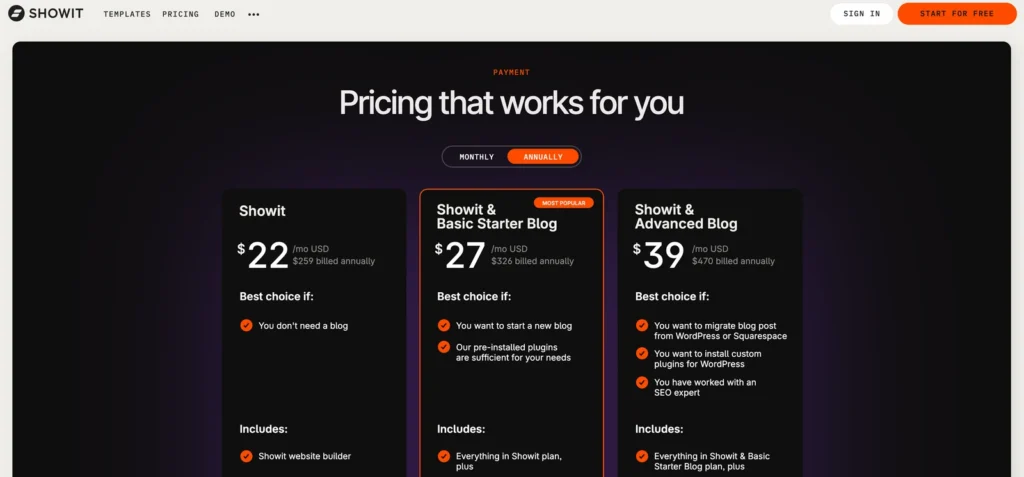
How much does Showit cost per month?
Every Showit plan includes website hosting, the Showit website builder, an SSL certificate and a 14-day free trial.
| Plan | Monthly | Annual | Best for |
| Showit | $27/mo | $259/yr (about $22/mo) | Websites that don’t need a blog |
| Showit & Basic Starter Blog | $34/mo | $326/yr (about $27/mo) | Most small businesses starting a blog |
| Showit & Advanced Blog | $49/mo | $470/yr (about $39/mo) | Established bloggers, teams and blog migrations |
| Advanced Blog 100K | $79/mo | $758/yr (about $63/mo) | High-traffic blogs |
| Advanced Blog 200K | $149/mo | $1,430/yr (about $119/mo) | Very high-traffic blogs |
Not sure which plan to pick? Start with Showit & Basic Starter Blog if you want a blog, or the base Showit plan if you don’t. Go with Advanced Blog if you’re moving an existing blog or need custom WordPress plugins.
Paying annually saves you about 20% on every plan. You can change or cancel your plan anytime with no penalties, so starting smaller and upgrading later is always an option (and my favorite for anyone that isn’t 100% sure what the need might be!)
What does each Showit plan include?
The price table is only useful once you know what’s behind each row, so here’s what each plan gives you and who it fits best.
The Showit plan ($27/month or $259/year)
The base Showit plan includes the full Showit website builder, website hosting with 20 GB of media storage and a secure certificate (HTTPS).
Good to know. It doesn’t include a blog, but you get the same design freedom as every other plan and can add a blog anytime.
Best for
- Photographers, artists and designers who mainly need a portfolio website
- Service providers with a simple sales website who don’t plan to blog
- Businesses that get most of their clients through referrals or social media instead of Google search
- Web designers building a simple brochure site for a client who won’t be adding content
Showit & Basic Starter Blog ($34/month or $326/year)
The Basic Starter Blog plan adds a WordPress blog that you design inside Showit. It includes up to 10,000 blog visits per month, 20 GB of blog storage, one WordPress user, daily blog backups kept for 30 days, and support for your blog design and pre-installed plugins.
Good to know. You can’t add plugins beyond the ones Showit pre-installs, so if you need a specific plugin, look at Advanced Blog.
Best for
- Small business owners who want to show up on Google and in AI search tools
- Wedding and portrait photographers who blog their sessions and galleries
- Coaches and service providers starting a blog for the first time
- Solo business owners who will be the only person writing and publishing posts
- Web designers setting up clients who want SEO but won’t blog every week
This is the plan most small business owners should start with. The Showit blog runs on WordPress, which is still one of the strongest blogging platforms for SEO, and you don’t have to manage WordPress hosting, security or updates yourself.
Showit & Advanced Blog ($49/month or $470/year)
The Advanced Blog plan gives you up to 25,000 blog visits per month, access to thousands of WordPress plugins (including e-commerce plugins), unlimited WordPress users, design backups every 10 minutes and FTP access on request. It also includes free advanced blog migration from WordPress or Squarespace, covering your posts, images, comments and plugins.
Good to know. If you have years of blog posts on another platform, the free migration alone can save you hours of work or the cost of hiring someone to move everything.
Best for
- Business owners moving an existing blog from WordPress or Squarespace
- Established bloggers whose traffic has grown past 10,000 monthly visits
- Teams with more than one person writing or editing blog posts
- Businesses that need specific WordPress plugins, like advanced SEO tools, recipe cards or membership features
- Web designers managing larger client sites who want frequent design backups
Advanced Blog 100K ($79/month or $758/year) and 200K ($149/month or $1,430/year)
The high-traffic plans include everything in Advanced Blog, plus 30 GB of blog storage and room for 100,000 or 200,000 monthly blog visits.
Good to know. These plans aren’t on the sign-up form, so you’ll subscribe to Showit & Advanced Blog first and then contact Showit Support to upgrade. If your blog pulls in more than 200,000 visits a month, Support can set up a custom hosting solution.
Best for
- Content creators whose blog earns income through ads, affiliate links or sponsorships
- Educators and course creators who use their blog to attract a large audience
- Established brands with a high-traffic blog that brings in steady leads
What’s not included in Showit pricing?
Nobody likes a surprise charge, so here’s what to budget for separately.
Your domain name. You can register one through a provider like Namecheap or GoDaddy, and the yearly cost depends on the registrar and the extension you choose. If you already own a domain, you can keep it where it is and point it to your Showit site.
Professional email. An address like hello@yourbusiness.com usually runs through Google Workspace or Microsoft 365.
E-commerce. Showit doesn’t have a built-in online store, so product sellers usually connect a tool like Shopify Buy Buttons, ThriveCart or SamCart. On the Advanced Blog plan, you can also install WordPress e-commerce plugins on your blog.
Templates (optional). Many people buy a Showit template from a designer in the Showit Design Market instead of building from scratch.
Showit also doesn’t take a cut of your sales, since it doesn’t process payments directly.
What are you really paying for with Showit?
The monthly price tells you what Showit costs. What it’s worth shows up over time, mostly in how your site looks and how little time you spend keeping it running.
Real design freedom without needing code
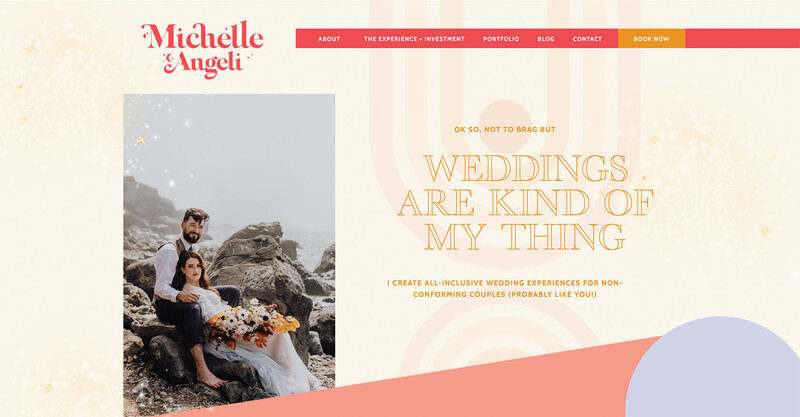
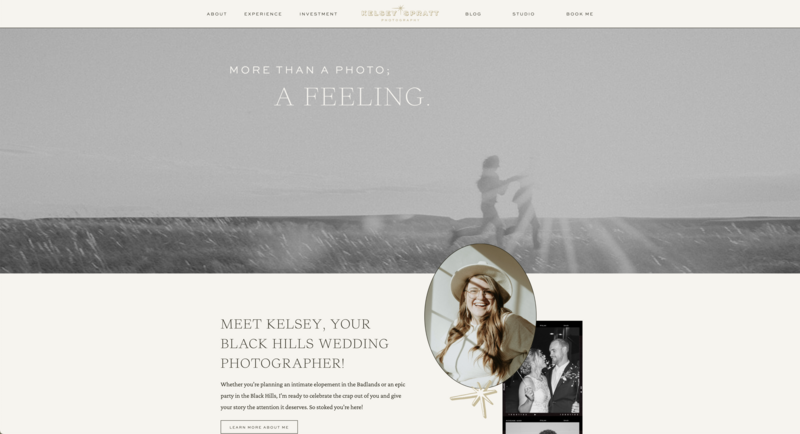
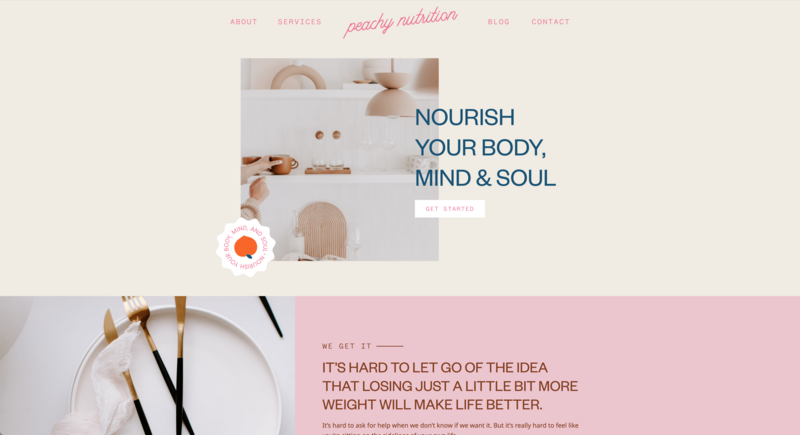
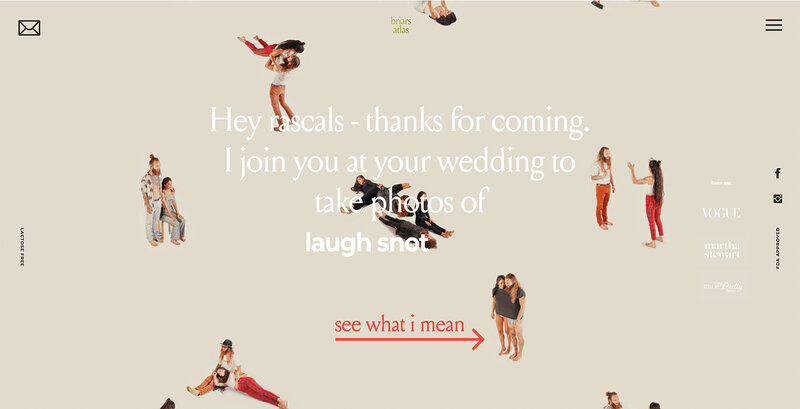
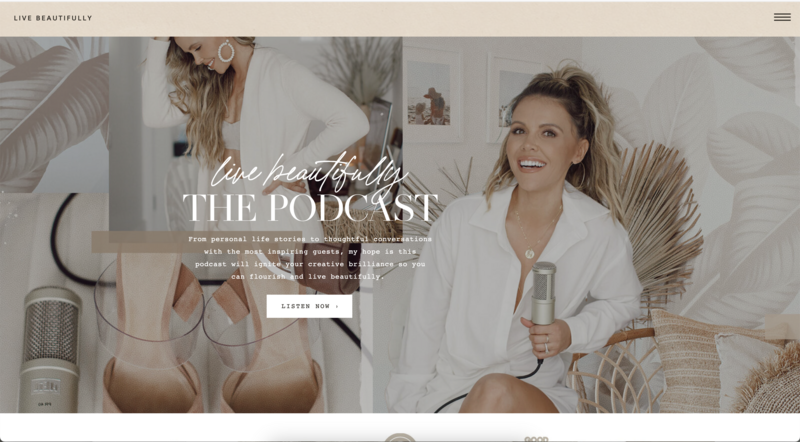
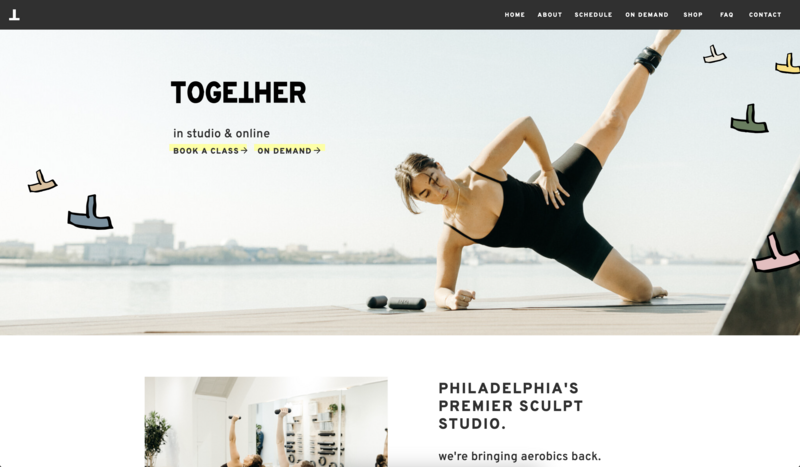
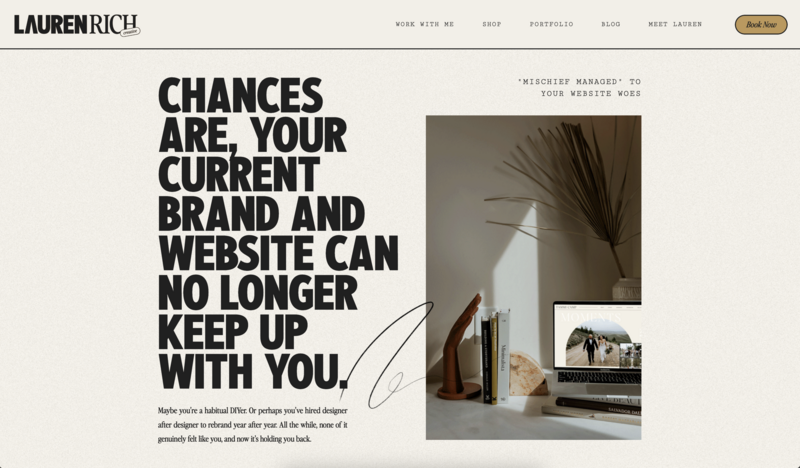
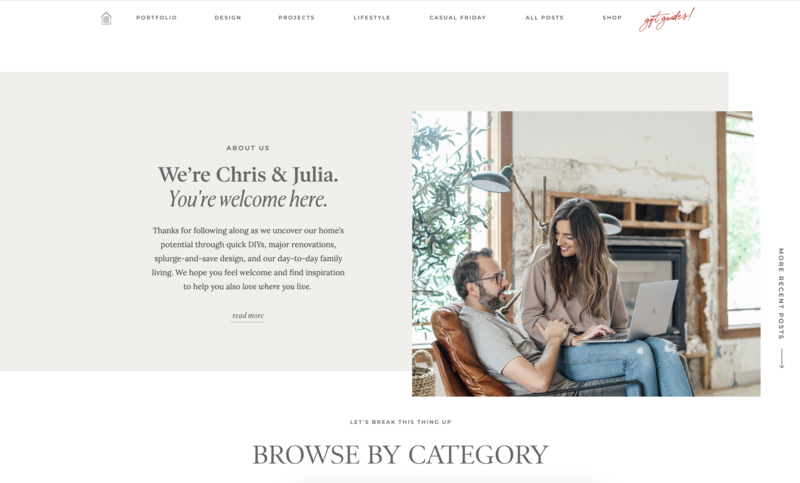
Showit’s drag-and-drop builder lets you place any element anywhere on the page, without a grid deciding your layout for you. Showit also lets you design your desktop and mobile websites separately, so you control exactly how your site looks on a phone. That matters, since most of your visitors are probably finding you on their phones while waiting in a pickup line.
This design freedom is a big reason web designers build client sites on Showit, and why a Showit site looks like your brand instead of a template everyone else is using.
A WordPress blog without the WordPress headaches
WordPress is great for blogging and SEO, but managing it yourself means handling hosting, security, backups and updates that break things at 11 p.m. Showit takes care of that for you. You get the SEO strength of a WordPress blog, designed in the same Showit editor you already know, which helps small business owners show up on Google and in AI search tools like ChatGPT.
Support from real humans
This might be the biggest reason people stay with Showit.
Showit support is staffed by real humans who know the platform well and are genuinely patient with you. One customer review on Showit’s pricing page calls it “hands down the BEST team and customer support in the industry.” When something isn’t working, you can reach someone through chat instead of digging through forum threads from 2019.
How does Showit compare to Squarespace, Wix, WordPress, Pixieset and Webflow?
When creative entrepreneurs look for a website builder, the same few names keep coming up. Each one is a good platform for someone, so the real question is which one fits the way you work. (Competitor prices were checked in September 2026 and reflect published starting prices.)
Showit vs Squarespace
Squarespace plans range from $19 to $99 per month billed annually, and annual plans include a free domain for the first year. Squarespace’s Basic plan charges a 2% transaction fee on online store sales.
Squarespace is a good fit if you want a polished all-in-one platform with built-in e-commerce and you’re happy working within its section-based layouts. Showit is the better fit if you want full design freedom, control over your mobile design and a WordPress blog for SEO.
Showit vs Wix
Wix plans range from $17 to $159 per month billed annually, also with a free domain for the first year. Wix has a flexible editor and a long list of features, including built-in e-commerce and booking tools on higher plans.
Wix is built for every kind of business, from restaurants to plumbers. Showit is built specifically for creative entrepreneurs, and its templates, education and community reflect that. Wix’s blog also isn’t WordPress, which matters if SEO is a big part of your plan.
Showit vs WordPress
WordPress software is free, but a WordPress website isn’t. You’ll pay for hosting, a premium theme (many photographers use shops like Flothemes) and often a few premium plugins, and the total swings a lot depending on what you pick. Then there’s the time you’ll spend on updates, backups and security.
WordPress is a good fit for people who enjoy the technical side or have a developer on call. Showit gives you the WordPress blog without the maintenance.
Showit vs Pixieset
According to Pixieset’s help center, Pixieset website plans start at $12 per month, and Suite plans, which bundle client galleries, a website and studio tools, start at $28 per month. Its biggest strength for photographers is keeping galleries, proofing and print sales in one place.
Pixieset’s website builder is theme-based, so there’s a ceiling on how custom your site can look, and its blogging and SEO tools are lighter. Plenty of photographers use both, with Pixieset for client galleries and Showit for the website that brings clients in.
Showit vs Webflow
Webflow’s Basic site plan starts at $15 per month billed annually, but it’s meant for sites without a blog. If you want Webflow’s CMS for blogging, the Premium plan runs $25 per month billed annually, following Webflow’s May 2026 pricing update. Webflow is a powerful tool with advanced design and CMS features, and many experienced web designers love it.
Webflow also has a steep learning curve, which can make handing a site off to a client tricky. Showit gives designers similar visual freedom in a drag-and-drop editor clients can learn to update themselves.
Showit vs competitors at a glance
| Showit | Squarespace | Wix | WordPress | Pixieset | Webflow | |
| Starting price | ~$22/mo | ~$19/mo | ~$17/mo | Varies | ~$12/mo | ~$15/mo ($25 with a blog) |
| Design freedom | Full drag-and-drop | Section-based | Flexible | Depends on theme | Theme-based | Advanced, steeper learning curve |
| Separate mobile design | Yes | No | Yes | Depends on theme | No | Yes |
| Blog platform | WordPress | Squarespace | Wix | WordPress | Pixieset | Webflow CMS |
| Hosting included | Yes | Yes | Yes | No | Yes | Yes |
| Built for creatives | Yes | Partly | No | No | Photographers | Designers |
Frequently asked questions about Showit pricing
Does Showit have a free trial?
Yes. Every plan starts with a 14-day free trial with full access to the Showit platform and no credit card required. During the trial you can’t connect a domain or use the WordPress blog admin, so the trial is best for testing the design side of Showit.
Which Showit plan should I start with?
Start with Showit & Basic Starter Blog if you want a blog and are starting fresh. Choose the base Showit plan if you don’t plan to blog, and choose Showit & Advanced Blog if you’re moving an existing blog, need custom WordPress plugins or have more than one person writing posts.
Can I change or cancel my Showit plan?
Yes. You can change or cancel your plan anytime with no penalties by chatting with the Showit billing team or emailing billing@showit.com.
Can I use my own domain with Showit?
Yes. You can keep your domain registered wherever it is now and point its DNS records to Showit to display your site.
Does Showit charge transaction fees?
No. Showit doesn’t process payments directly, so it doesn’t take a cut of your sales.
So, is Showit worth the price?
Showit costs between $22 and $149 a month depending on your plan and billing, and most small businesses land around $27 to $34. That puts it right in line with Squarespace, Wix and Webflow, and often below what a fully loaded WordPress site ends up costing.
The difference is what that money buys. You get a website that looks like your brand and a WordPress blog that helps people find it, with real humans on the other end of the chat when you need them. And the cheapest option isn’t always cheap once it costs you three Saturdays and a developer.
Your website is often the first place a potential client decides whether to trust you. It should be a site you’re proud to send people to.
If you’re ready for a website that looks the way you pictured it, Showit gives you the design freedom to build it, whether it’s for your own business or your next client. Try Showit free for 14 days, no credit card required.

Sarah has been part of the Showit team for nearly four years, where she works as a copywriter crafting content that educates, encourages, and celebrates the creative entrepreneurs who make up the Showit community. When she's not writing, you'll find her with a book in hand (usually something about leadership or personal growth), cheering on Arizona sports teams, or connecting with people over a really good cup of coffee because, let's be honest, there's always a cup nearby. Sarah believes in the power of stories, the importance of showing up authentically, and that every entrepreneur deserves to be celebrated for the brave work they're doing.