Load Newsreader Bold Font
A guide for creative and service business owners.
Someone asks a friend who they’d recommend, and your name comes up. A link gets texted over.
That’s a great start. The recommendation did its job, and now someone who already trusts you a little is on your website. What happens next is up to your site.
A referred visitor isn’t a different kind of person. They just arrive expecting something specific, usually the service their friend mentioned. If they land on a homepage covering every service you offer, your portfolio, and your latest blog posts, they might need to do some searching before they find it.
A referral gets someone interested, but your website still needs to show them you’re the right fit and make reaching out easy.
You don’t need a complicated referral program to do that. You may not even need a new page. It comes down to five essentials that help a referred visitor become a booked client.
What You’ll Learn
- What a referred visitor needs from your website.
- The 5 essentials to include, from your headline to your inquiry form.
- When a separate referral page makes sense.
- How to build one in Showit.
- How to tell partners which link to share.
- How to know if referrals are turning into clients.
Start Simple With the Page You Already Have
Before you build anything new, here’s the simplest version.
Check your service page first. If it already explains the offer people are usually referred for, shows relevant work, and makes inquiring easy, it can do the job.
Add a “Who referred you?” field to your inquiry form. It’s the easiest way to see which recommendations turn into clients.
Tell your partners which link to share. Point them to the page that matches what they recommend you for.
A dedicated referral page earns its place when a recommendation needs more context than your service page gives. If that’s you, start with one page for the service you’re recommended for most, test it on your phone, and share it with one trusted partner.
What Does a Referred Visitor Need From Your Website?
A referral landing page is a page on your website built for people who arrive through a recommendation from a past client, business partner, or someone else in your network. Whether you send them there or to your service page, its main job is to help visitors answer a few questions.
- Is this the service I was told about?
- Does this person work with businesses or clients like me?
- What would working together involve?
- How do I get started?
For example, a brand photographer might create a page for business owners referred by website designers. It could explain how sessions support a website launch, show relevant images, and invite visitors to ask about availability.
This is different from a page asking existing clients to refer someone. You’re creating the destination for the person receiving the recommendation.
Do You Need a Separate Page for Referrals?
If your service page already explains the right offer, includes relevant examples, and makes inquiry easy, you can send partners there.
A separate referral page becomes useful when the recommendation needs more context.
Maybe you offer both wedding and brand photography, but a marketing consultant only refers brand clients. Or you’re a designer whose homepage gives equal attention to custom projects and templates, while a copywriter recommends you specifically for custom websites.
A focused page lets you continue that specific conversation.
Start with one shared page for a common referral audience. Create partner-specific versions only when the offer or information meaningfully changes. Otherwise, you’re adding pages you’ll need to maintain without giving visitors much extra value.
What Are the 5 Essentials for Turning Referrals Into Clients?
Think of the page as a helpful introduction followed by answers to the questions someone would ask before contacting you. These are the five things it needs.
1. A Headline That Names the Service and Audience
“Welcome, friend!” is warm, but it doesn’t explain what you do.
Lead with the service and who it helps. Then acknowledge the introduction.
For a website designer, that might look like this.
Custom Showit websites for service businesses ready for their next chapter
Someone in your business circle sent you here? I’m glad we’re connected. I help established service providers turn evolving offers into a website that’s clear, easy to navigate, and ready for new inquiries.
The visitor can immediately connect your business to the recommendation.
If you create a page for one specific partner, mention that relationship with their permission. Use their name or logo only in ways they’ve approved.
2. A Focused Explanation of the Offer
Someone recommending you may love your work without knowing every detail of your current services.
Your page should cover the basics.
- Who the service is for.
- What’s included.
- What problem it addresses.
- What the client needs before starting.
- Typical timing, where you can accurately provide it.
For a brand photographer, that could mean explaining session planning, photography time, image delivery, and usage information.
If you have several related options, keep the comparison easy to scan. The Accordion Service Summary by The Website Wardrobe is a Showit canvas add-on for presenting services. You could adapt it to introduce your relevant offers without building an entire section from scratch.
Keep the main offer visible in plain language, even if you use interactive elements for additional details.
3. Proof That Matches the Recommendation
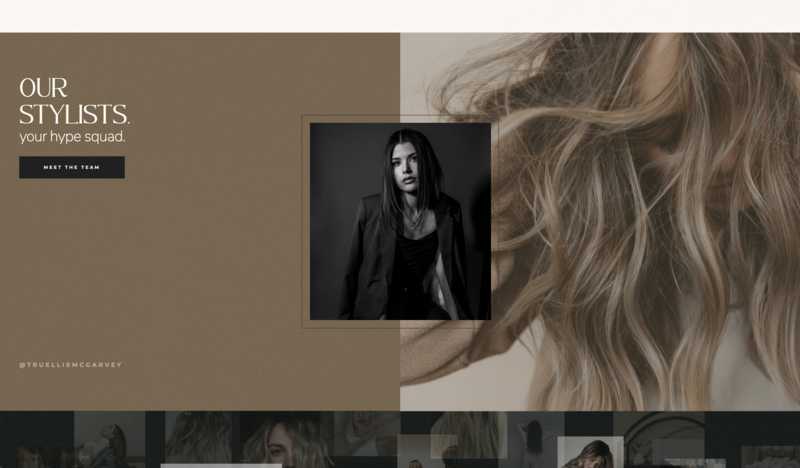
Choose examples that help this particular visitor evaluate your work.
If a bookkeeper sends business owners to your coaching practice, show experience relevant to those owners. If a florist refers wedding photography clients, feature wedding work.
A useful proof section might include any of these.
- A small selection of relevant projects.
- One or two specific client testimonials.
- A short explanation of a client’s challenge and your approach.
- A link to a detailed case study.
Give the work context. Instead of displaying a website screenshot alone, explain what the client needed and what you changed.
Use only approved client materials and accurate outcomes. A clear description of your work can be persuasive without a dramatic revenue claim.
4. Answers to Practical Questions
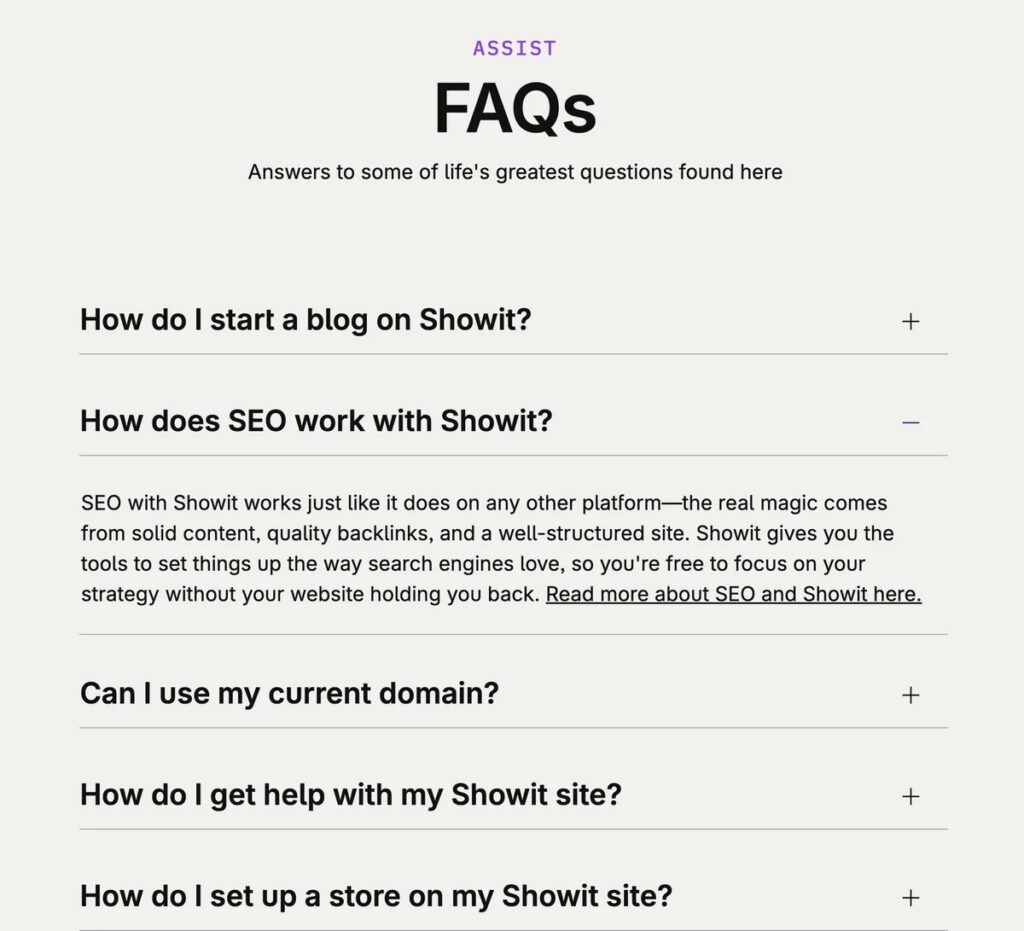
A recommendation doesn’t automatically answer questions about price, availability, or process.
Include the information that helps someone decide whether to take the next step.
- What does the service cost, or where does pricing start?
- How far ahead should they inquire?
- Do you work remotely or within a particular area?
- What happens after they contact you?
- What should they have ready?
If you publish a starting price, explain what it applies to. If projects are quoted individually, describe what affects the quote.
You can keep this section short. The goal is to address the questions that regularly delay an inquiry.
5. One Clear Next Step
Choose the next step that fits how you actually sell your service.
That might be “Check Your Date,” “Ask About Your Project,” or “Book a Discovery Call.”
Repeat that action where it’s useful, such as near the introduction and after the offer details. Multiple buttons can lead to the same next step.
Keep supporting links available when they help someone evaluate your work, but avoid giving a newsletter signup, shop promotion, and project inquiry equal emphasis.
Your page should make the intended path easy to recognize.
How Do You Build a Referral Page in Showit?
Write a simple outline before choosing a design.
Introduction → service → relevant proof → process and FAQs → inquiry
Then gather your copy, images, testimonials, and form requirements.
Start With a Page or Add-On You Can Adapt
You can use a page from your current design or add one from another design in your library. Showit’s guide to adding a page from another design explains the process and your options for applying your existing fonts and colors.
A sales page add-on can also give you a useful starting structure.
- The Mackenzie Isla Sales Landing Page by Sugar Studios includes testimonial, FAQ, pricing, about, and call-to-action sections. Adapt those sections around one referred service.
- The Avery Paige Sales Landing Page by Sugar Studios offers another layout with those core sections, if its visual style better suits your brand.
Choose one starting point. You don’t need both.
Remove sections that don’t fit your offer. A referral page may have no need for bonuses, guarantees, or urgency messaging, even when those sections come with a template.
These add-ons give you editable designs. Partner tracking and automated follow-up need their own setup.
Keep the Inquiry Form Useful
Ask for enough information to respond well.
- Name and email.
- Service or project details.
- Relevant timing.
- Who referred them.
Make the referral question optional so someone without a named introduction can still inquire.
Showit’s native contact forms support basic communication and a confirmation message. For CRM workflows, scheduling, or more advanced form behavior, use an appropriate third-party tool and check its integration requirements.
After submission, explain what happens next. Only promise a response time you can consistently meet.
Review Mobile and Desktop
A partner may share your link in a text message, so the phone experience deserves careful attention.
Showit lets you adjust mobile and desktop designs independently. Review both versions, and check these before publishing.
- The headline explains the offer without excessive scrolling.
- Testimonials are readable.
- Buttons are easy to tap.
- Form fields have clear labels.
- Images and text don’t overlap.
Then submit a test inquiry from your phone and confirm it arrives.
Give the page a descriptive title and clear headings, too. Showit’s guide to making your site searchable for AI covers clarity and SEO fundamentals that also help visitors understand your content.
How Do You Tell Referral Partners Which Link to Share?
Give partners a clear reason to choose this link.
Explain who the page is for and what visitors will find there. You might say something like this.
“When a client needs brand photography for a new website, this page walks through my sessions, shows relevant work, and explains how to inquire.”
You can also give them a short introduction they can adapt.
“I’d recommend [business name] for [specific service]. This page explains their process and includes examples so you can see whether it’s a fit.”
Keep your service information current, and tell partners when an important detail changes. Accurate availability, pricing, and contact information help them recommend you confidently.
How Do You Know If Referrals Are Turning Into Clients?
Start with a simple record of referral inquiries and resulting bookings.
Track who referred the lead, which service they wanted, and whether the project was a fit. Your “Who referred you?” field does most of this work, even before you build a detailed analytics setup.
For partner-specific website traffic, tagged links can help. Google’s campaign URL guidance explains how parameters identify campaign sources in Analytics.
You might use a consistent campaign name for your partner referrals and a different source name for each business. These links label incoming visits. They don’t automatically attach the partner’s name to a contact form submission.
Capturing that information automatically requires compatible form or CRM functionality. Tracking completed inquiries also needs verification beyond simply installing analytics.
If you want a simple way to see it all in one place, Showit’s guide to building a marketing funnel includes a monthly tracker for traffic, inquiries, and bookings.
Review traffic, inquiries, and bookings together. With small numbers, look for recurring questions and patterns before drawing conclusions.
What Mistakes Keep Referrals From Becoming Clients?
Assuming a recommendation answers every question. Visitors still need to understand your service, pricing approach, and process.
Copying the whole homepage. Include what helps this audience make a decision.
Creating too many versions. Start with one useful page and expand when there’s a clear reason.
Leaving the form untested. Test submission, delivery, and the confirmation experience.
Measuring visits alone. The business outcome is relevant inquiries and suitable clients.
Frequently Asked Questions
Should a Referral Landing Page Be in My Main Navigation?
It doesn’t have to be. Partners can share the direct link. Include navigation that helps visitors explore essential information without overcrowding the page.
Do I Need a Referral Discount?
No. A relevant introduction, clear offer, and easy inquiry process are enough to build the page around. Include an incentive only if it fits your business.
Can I Use One Page for Several Partners?
Yes, especially when they refer similar clients for the same service. Separate tagged links can help distinguish incoming traffic without requiring separate pages.
How Long Should the Page Be?
Long enough to explain the service and answer the questions people have before they inquire. A straightforward session may need less explanation than a custom website project.
Give Your Next Referral a Clear Place to Start
Choose the service you’re most often recommended for. Make sure the page you send people to explains it, shows relevant work, answers common questions, and makes inquiry easy.
Once it’s tested, share it with one trusted partner. Ask whether it gives their clients what they need, then use that feedback to improve it before sharing it more widely.
If you’re building on Showit, page and canvas add-ons let you add a referral page to your existing website without redesigning it.
For a broader check of your whole site, from button text to navigation, see our six must-haves to increase website conversions.

Sarah has been part of the Showit team for nearly four years, where she works as a copywriter crafting content that educates, encourages, and celebrates the creative entrepreneurs who make up the Showit community. When she's not writing, you'll find her with a book in hand (usually something about leadership or personal growth), cheering on Arizona sports teams, or connecting with people over a really good cup of coffee because, let's be honest, there's always a cup nearby. Sarah believes in the power of stories, the importance of showing up authentically, and that every entrepreneur deserves to be celebrated for the brave work they're doing.