Load Newsreader Bold Font
What are the best integrations for a Showit website? The most useful ones cover lead capture, email marketing, scheduling, client management, e-commerce, analytics, and blogging SEO, and each connects to a Showit site through a simple embed code or a setting in Site Settings, with no custom development required.
BDOW!, Kit, Flodesk, HoneyBook, Acuity Scheduling, Shopify, Google Analytics, Typeform, WordPress, and Tidio are some of the top integrations that show up most often on Showit sites that are working and converting visitors into leads, subscribers, and sales.
Every week, somebody in the Showit Design Community or our Facebook User Group asks a version of the same question: can I add a booking calendar to my site, or a pop-up that actually converts, or a live chat bubble that catches visitors before they leave? The honest answer is almost always yes, and it usually takes less setup than people expect.
Showit was built by (human) designers who assumed you’d want to keep customizing long after launch day, so the platform was designed to play well with outside tools instead of boxing you in. You can add a scheduler, connect an email platform, run a shop, track your traffic, and capture leads, all without touching a line of code.
There are hundreds of tools out there claiming to help your website convert better, and most business owners don’t have time to test all of them. So instead of a comprehensive directory nobody will actually read, here’s a shorter, more opinionated list of ten integrations that show up again and again on Showit sites that are successfully working for our audience.

1. Capturing More Leads Without Writing Code – BDOW!
If you’ve spent any time in the Showit community, you’ve probably heard someone mention BDOW! and wondered what it even is. Here’s the short version. It used to be called Sumo, Showit acquired the company behind it in late 2023, and it was rebranded as BDOW! in April 2024. That’s not a small partnership, Showit now owns the tool, which is part of why the integration keeps getting better.
BDOW! builds the pop-ups, welcome mats, and email capture forms that turn a passive visitor into a lead. You can set up custom pop-ups that match your brand, tab pop-ups for e-commerce sites, countdown timers for a launch, and inline forms that live directly inside your page content.
The targeting is smart too, you can trigger a form based on scroll depth, time on page, or exit intent instead of blasting every single visitor with the same offer.
Setup takes about five minutes. Create your BDOW! account, grab your Site ID, and paste it into your Showit site settings under the Third Party tab. Once you publish, your forms sync automatically with email platforms like Flodesk and Kit, so the leads you capture don’t just sit in a dashboard. They land where you can actually follow up with them.
2. Turning Visitors Into Subscribers – Flodesk
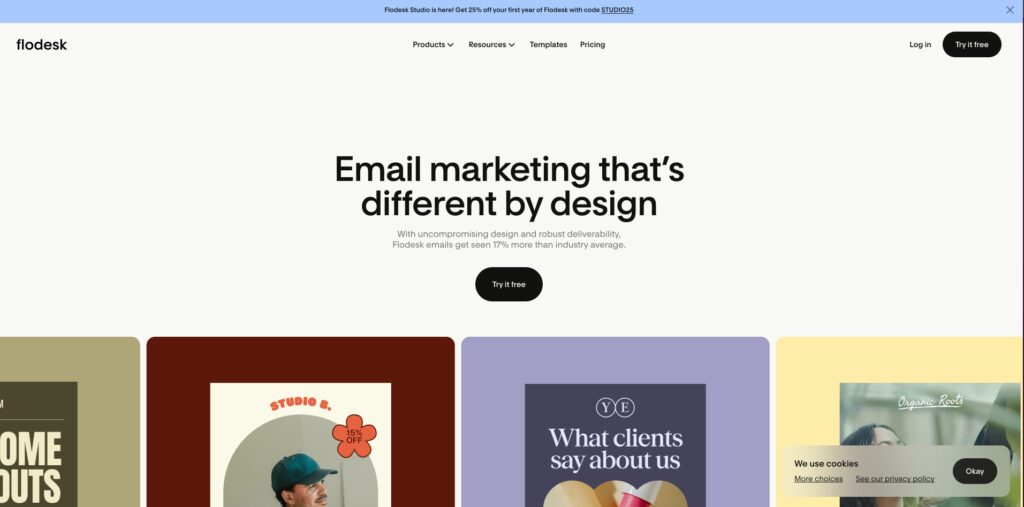
Flodesk is the email platform most Showit users reach for first, mostly because the visual editor matches the same design-forward feel as building your site. You’re not stuck picking from a handful of rigid templates. You build the email to look like an extension of your brand, the same way you built your homepage.
The Showit integration works through embeddable signup forms. You design the form in Flodesk, drop the embed code into a Showit code block, and it inherits your site’s feel without extra styling work.
For a photographer building a client waitlist or a coach promoting a free guide, that consistency matters more than people expect. A form that looks bolted on tends to get ignored. A form that looks like it belongs gets filled out.
3. Automating Your Email List – Kit
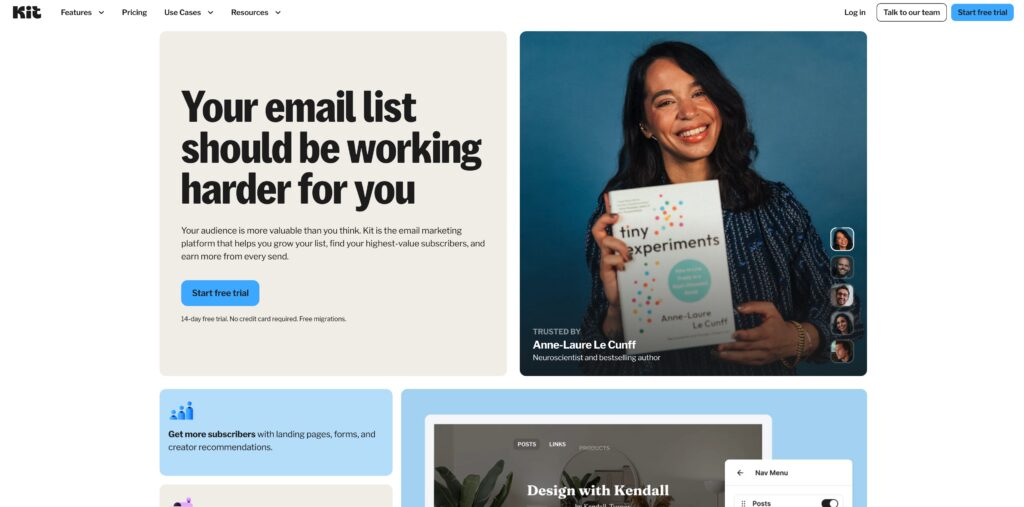
Flodesk wins on aesthetics (in my very personal opinion), but Kit, the platform formerly known as ConvertKit, wins on automation (again, in my opinion). I’ve used them both (I still do), and knowing each platform’s strength has been very helpful and time saving.
If your business runs on evergreen sequences, like a welcome series for new subscribers or a drip campaign nurturing leads toward a paid service, Kit’s tagging and automation tools handle more of that work in the background than most email platforms built for small businesses.
The Showit setup follows the same pattern as most tools on this list. Build your form or landing page inside Kit, publish it, grab the HTML embed code, and drop it into your site using an Embed Code element in the Showit Design App. One setting worth checking before launch: Kit forms default to showing once every fifteen days per visitor, so if you want a form to appear on every visit instead, adjust that in your form settings first.

4. Publishing a Blog That Ranks – WordPress
If you want your Showit site to show up in search results, WordPress is doing more work behind the scenes than most people realize. Showit’s blogging setup pairs a free WordPress backend with your Showit-designed front end, so your blog posts inherit your site’s exact look while WordPress handles the content management, categories, and SEO plugins in the background.
Does Showit have a built-in blog? Not exactly. Instead, every Showit plan includes a WordPress account specifically for blogging, connected to your site through a plugin. You write and publish in WordPress, and the post displays using your Showit blog template, so visitors never see a design mismatch or a separate platform.
This is the integration most business owners underestimate. A blog is one of the few parts of your site search engines can keep indexing indefinitely, and pairing WordPress’s SEO tools with a Showit-designed template gives you both, a site that looks the way you want and content that has a real shot at ranking.

5. Running Client Relationships in One Place – HoneyBook
For service providers, especially photographers, designers, and coaches, HoneyBook tends to become the operational backbone once a business grows past a few clients at a time. It combines scheduling, proposals, contracts, invoicing, and payments into a single workflow, so a lead doesn’t have to bounce between five different tools before they book you.
The Showit integration is a simple embed. You drop a HoneyBook contact form or scheduler directly onto your site, and every inquiry flows straight into your HoneyBook pipeline instead of your inbox. If you’ve ever lost track of a promising lead because their email got buried under forty others, this is the fix.
Pro tip: Showit and HoneyBook actually have a collab where you can have the entire client expirience look and feel just like a Showit website. You can check that out here.

6. Booking Appointments Without the Back-and-Forth – Acuity Scheduling
Not every business needs the full client management system HoneyBook offers. Sometimes you just need people to book a time on your calendar without six email exchanges to find one that works. That’s Acuity Scheduling’s whole job.
Acuity syncs with Google Calendar in real time, handles deposits or full payment at booking, and sends automated reminders so you’re not the one chasing people down before their appointment. Embedding it on a Showit site takes one line of code dropped into a code block, and the scheduler displays inline instead of redirecting visitors to a separate page. For consultants, stylists, and coaches running a calendar full of one-on-one time, that small bit of friction removed at booking tends to show up directly in fewer no-shows.

7. Selling Products Without Building a Full Store – Shopify
Is Showit good for e-commerce? It depends on what you’re selling. Showit doesn’t have a native shopping cart, so if you’re running a large catalog with inventory tracking, Shopify is the integration most Showit users turn to. You can embed a Shopify Buy Button directly on a Showit page, which lets visitors purchase individual products without ever leaving your site or landing on a separate, less-branded storefront.
This setup works especially well for small catalogs: a handful of digital products, a small run of merchandise, or a few signature offers. If your entire business model is built around e-commerce with dozens of SKUs, you may eventually outgrow this approach. But for the Showit user selling a curated handful of products alongside their main service, it’s often exactly enough.

8. Knowing What’s Working – Google Analytics
You can guess which blog posts are pulling in traffic, or you can know. Google Analytics is still the industry standard for tracking where your visitors come from, what they click on, and where they drop off before converting. Connecting it to Showit is done through your site settings, where you paste your tracking ID once and it applies sitewide.
The reason this integration matters more than people give it credit for: without it, every design decision and every piece of content is a guess. With it, you can see that your pricing page has a 70% exit rate, or that most of your traffic comes from Pinterest instead of Google, and adjust your strategy based on what’s actually happening instead of what you assume is happening.
If you’re setting this up for the first time, don’t stop at installing the tracking code. Spend twenty minutes setting up goals for the actions that actually matter to your business: a form submission, a booking, a click on your pricing page. Raw traffic numbers feel good to look at, but they don’t tell you much on their own. Knowing that 200 people visited your services page is far less useful than knowing how many of them actually reached out afterward.

9. Collecting Better Information From Forms – Typeform
A standard contact form asks for a name, email, and message, all at once, in a format that feels like paperwork. Typeform breaks that same information into one question at a time, which sounds like a small change and somehow isn’t. Typeform’s own research backs this up: across 2.6 million forms and 568 million submissions, conversational formats averaged a 47.3% completion rate compared to a 21.5% industry average for traditional forms, according to Typeform’s Data On Data Report.
For web designers, Typeform doubles as a smart client intake tool. Instead of a generic questionnaire, you can build branching logic that shows different follow-up questions depending on how someone answers, so you’re gathering exactly the project details you need before a discovery call. Embedding it on Showit works the same way as most of these tools: copy the embed code, drop it into a code block, publish.

10. Answering Questions While You Sleep – Tidio
Not every visitor who has a question is going to fill out a contact form and wait two days for a reply. Some of them will just leave. A live chat widget like Tidio catches that moment instead, offering a quick way to ask a question or, when you’re not available, an automated response that keeps the conversation going until you can.
Tidio embeds as a small script added to your Showit site’s footer code, and the chat bubble follows visitors across every page. For service-based businesses where a quick answer can be the difference between a booked consultation and a visitor who never comes back, that instant availability adds up.
Frequently Asked Questions
Do Showit integrations require coding?
No. Most integrations connect through Site Settings or a simple embed code dropped into a code block, no custom development needed.
What’s the difference between BDOW! and Kit?
BDOW! builds the pop-ups and forms that capture a lead in the first place. Kit takes over from there, handling the email automation and sequences once that lead is on your list. Most Showit users run both together.
Can I sell products directly from a Showit website?
Yes, though Showit doesn’t have a native shopping cart. Most users add e-commerce through a Shopify Buy Button, which works well for a handful of products rather than a full catalog with inventory tracking.
Does Showit have a built-in blog?
Not exactly. Every Showit plan includes a WordPress backend for blogging that displays inside your Showit-designed template, so your blog matches your site’s design instead of looking like a separate platform.
How to Build a Site That Grows With You
None of these integrations are required to launch a Showit site, and that’s kind of the point. You can start simple: a template (check out our free options!), a contact form, maybe a blog.
Then, as your business grows and your actual needs become clearer, you add exactly what you need, whether that’s a scheduler once you’re tired of the back-and-forth, an email platform once you’re ready to build a list, or BDOW! once you want to turn more of your existing traffic into leads instead of just visitors who came and went.
That flexibility is the whole idea behind building on a platform designed for creative freedom instead of a rigid template. You’re not locked into a set of pre-approved plugins or waiting on a developer to add functionality your business already needs. You choose the tools, connect them in minutes, and keep the design control that made you choose Showit in the first place.
You also don’t have to add all ten at once. Pick the one solving your most pressing problem right now, whether that’s a leaky lead form or a calendar full of scheduling emails, and start there. The rest will still be waiting when you’re ready for them.
If you’re still building your site and wondering what’s possible, the answer is almost always more than you think. Try Showit free for 14 days and see how far your website can actually take your business.

Sarah has been part of the Showit team for nearly four years, where she works as a copywriter crafting content that educates, encourages, and celebrates the creative entrepreneurs who make up the Showit community. When she's not writing, you'll find her with a book in hand (usually something about leadership or personal growth), cheering on Arizona sports teams, or connecting with people over a really good cup of coffee because, let's be honest, there's always a cup nearby. Sarah believes in the power of stories, the importance of showing up authentically, and that every entrepreneur deserves to be celebrated for the brave work they're doing.