Load Newsreader Bold Font
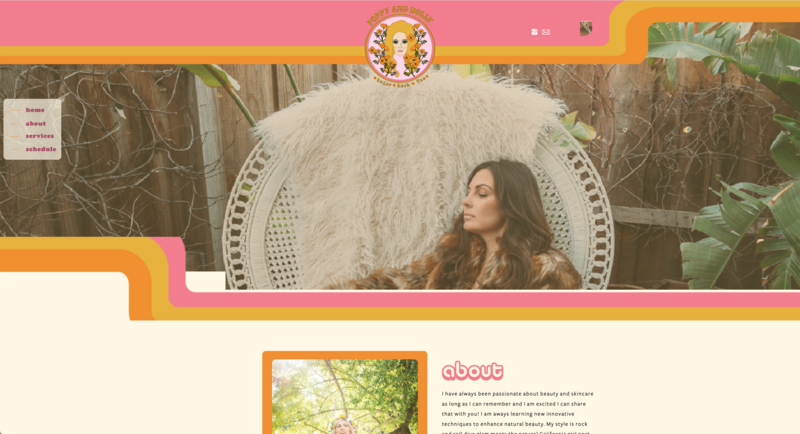
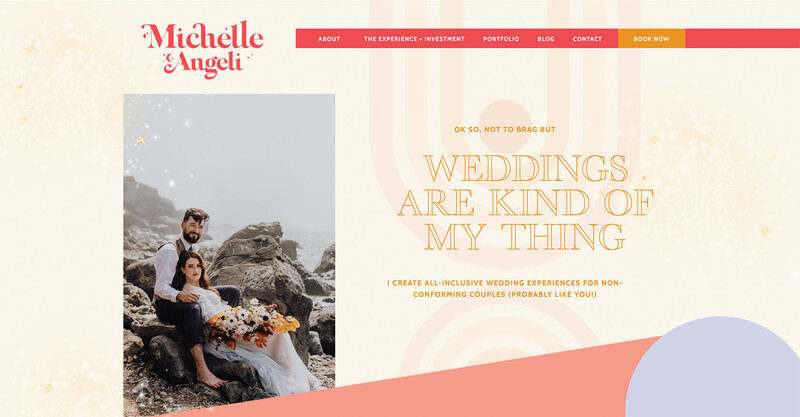
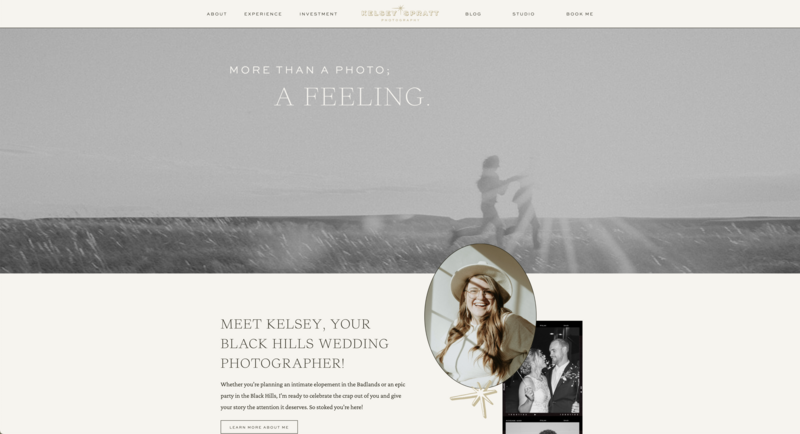
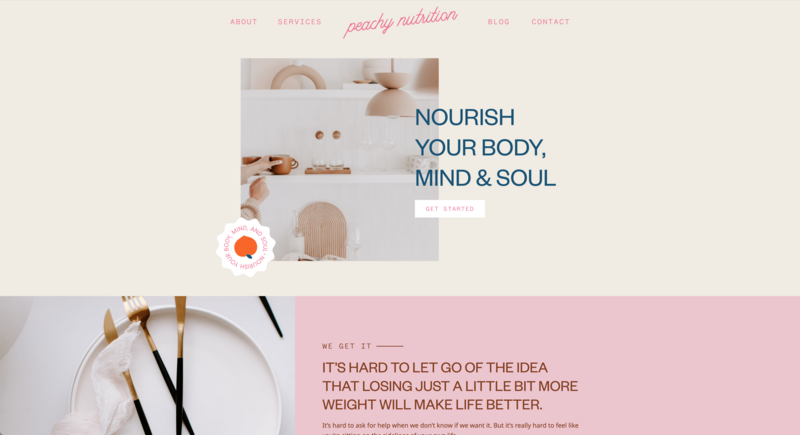
You built a beautiful Showit site, congrats!
The colors and fonts feel like you, every page looks the way you pictured it, and then you wait for traffic, but nothing really happens. The only clicks you’re getting are from your mom and your best friend, who already know your URL by heart.
This is one of the most frustrating experiences for creative business owners. You put time and energy into making the site look incredible, and then it just sits there.
But theres good news, SEO isn’t as complicated as the internet makes it sound. It’s not a secret code reserved for tech people. It’s just a set of practical steps that help Google understand what your site is about so it can show it to the right people and we’ll walk through all of it, specifically for Showit, so you can stop guessing and get your site ranked.
The Short Version
If you skim everything else, here’s what to take away.
- A beautiful Showit site doesn’t automatically get found. SEO is what bridges the gap between looking good and actually showing up in search.
- Your Showit site has two parts working together. Your pages live in Showit’s drag-and-drop builder (where people take action), and your blog runs on WordPress (where people find you through Google). Both need attention, and they only really work as a system when they’re connected through internal links.
- The five SEO foundations every page needs are clear page titles, descriptive meta descriptions, well-structured headings, image alt text on every image, and clean URLs. None of it is glamorous, but it all matters.
- Don’t skip the Showit-specific settings. Every page has its own SEO settings panel, an indexing toggle, and custom URL options. The canvas system also means duplicate pages can have conflicting SEO settings, which confuses Google. Check all of them.
- Keyword research really comes down to one question. What would your ideal client type into Google? Start there, then assign one primary keyword to each page so you’re not competing against yourself.
- Your blog is what gives you unlimited room to target new keywords and bring in discovery traffic. Pages convert, the blog brings people in, and internal linking is what ties the whole system together (and what most creative business owners skip entirely).
- AI search is changing how people find businesses, but the work mostly overlaps with traditional SEO. Write clearly, answer questions directly, get specific, and you’re already doing the work that AI tools want to reference.
- SEO takes time. Three to six months is the realistic timeline before you start seeing consistent results. The work compounds, the post you publish today could still be bringing in traffic a year from now.
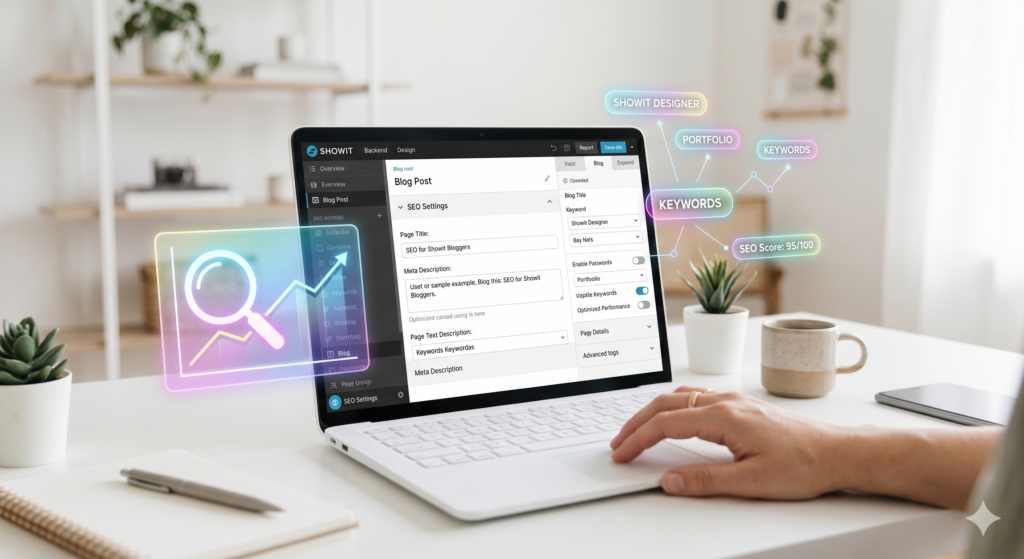
What Is SEO (And How It Works on Showit)
SEO stands for Search Engine Optimization. In simple terms, it’s setting up your website so Google (and other search engines) can understand what the website is about and recommend it to the right people.
Think of Google as sort of a matchmaker. Someone types in “wedding photographer in Austin” or “brand designer for coaches,” and Google’s job is to find the best match. SEO is how you tell Google, “Hey, I’m the match.”
Here’s where Showit works a little differently from other platforms.
Your site actually has two parts working together. Your pages, homepage, about, services, and contact, that live in Showit’s drag-and-drop builder and your blog which runs on WordPress and is connected to your site behind the scenes.
This matters because pages and blog posts play different roles in your SEO strategy. Your pages are where people take action, whether that’s booking a call, filling out an inquiry form, or learning about what you offer. Your blog is where people discover you through Google in the first place. That’s the foundation we’ll build everything else on.
Is Showit good for SEO?
Short answer, yes.
This question comes up a lot, and it usually comes from a place of worry. You chose Showit because the design freedom is unmatched, but then someone in a Facebook group said Showit is “bad for SEO,” and now you’re second-guessing everything.
Here’s the deal, Showit isn’t bad for SEO at all. It’s just more dependent on how you set things up than platforms that automate more of it for you. Squarespace, for example, fills in certain SEO fields by default. That’s convenient, but it also means less flexibility for the people who want it.
On Showit, you get full design control over your pages and the full power of WordPress for your blog. WordPress is the most widely used content management system in the world, trusted by SEO professionals everywhere. That combination is powerful, but it does mean the SEO work falls more on you than on the platform.
The rest of this guide will walk you through exactly what that work looks like.
The three layers of SEO on a Showit site
Before we get into specific steps, it helps to see the three layers of SEO on a Showit site as one connected system.
Layer 1, your pages (built in Showit).
Your homepage, about page, services page, contact page, and any other static pages. Each one needs the right title, headings, description, and on-page content so Google understands what it’s about. These pages typically target broader terms related to your brand and what you offer. Here’s a deeper dive on Showit page optimization.
Layer 2, your blog (powered by WordPress).
This is where most of your discoverable content lives. Blog posts let you target specific keywords and answer the actual questions your ideal clients are typing into Google. Every post you publish is a new chance for someone to find you.
Layer 3, the connections between them.
This is the part most Showit users miss. Your pages and your blog posts need to link to each other. When a blog post about “what to wear for your engagement session” links to your services page for engagement photography, you’re telling Google how everything on your site connects. We’ll dig into this in the internal linking section.
Once you can see all three layers as one system instead of three separate things, your SEO strategy gets a lot simpler.
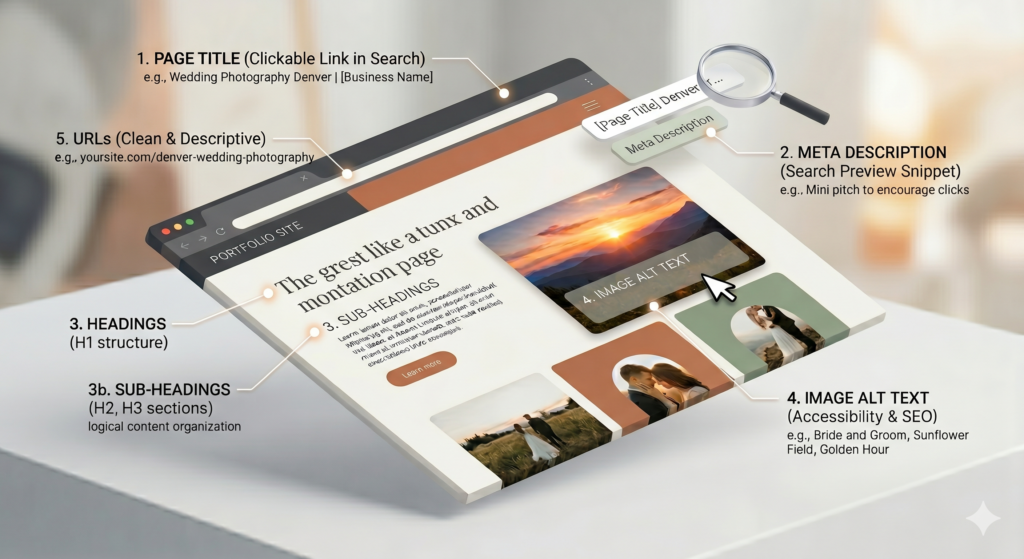
The 5 SEO Foundations Every Showit Site Needs
These are the basics, the things every Showit site needs in place before any of the more advanced SEO work matters.
1. Page Titles.
Your page title is what shows up as the clickable blue link in Google search results. It should clearly describe what the page is about and include your primary keyword. A good page title for a photographer’s services page might be something like “Wedding Photography Services in Denver | [Your Business Name].” A not-so-good one would be something vague like “Services” or “What I Do.”
2. Meta Descriptions
This is the short paragraph that appears below your page title in search results. It doesn’t directly affect rankings, but it affects whether someone clicks on your link or keeps scrolling. Think of it as a mini pitch, specific enough to tell people exactly what they’ll find on the page.
3. Headings (H1 through H3).
Headings are how Google reads the structure of your page. Your H1 is the main heading, and every page should have exactly one. Think of it like the title of a chapter. H2s and H3s break your content into sections and subsections. Use them to organize your content logically, and include relevant keywords where they fit naturally.
4. Image Alt Text
Every image on your site should have alt text, a short description that helps Google understand what the image is showing (since Google can’t “see” images the way we do). It’s also important for accessibility. Instead of leaving it blank or writing something like “IMG_4582,” describe what’s actually in the image. Something like “bride and groom walking through a sunflower field during golden hour in Scottsdale, Arizona” is exactly the kind of detail Google can use.
5. URLs.
Clean, descriptive URLs are better for SEO than generic ones. Something like yoursite.com/nashville-wedding-photographer is much better than yoursite.com/page-3 or a string of random characters. Showit lets you customize page URLs, so it’s worth taking a few minutes to set them up properly
Showit-Specific SEO Settings You Shouldn’t Skip
A few things inside Showit are easy to miss if you don’t know where to look. Here’s what to check.
1. The SEO settings panel.
Every page in Showit has its own SEO settings panel with fields for your SEO title, meta description, and URL slug. Don’t leave these blank. If you skip them, Google has to guess what your page is about, and Google’s guesses are usually not great.
2. The page indexing toggle
If a page is set to “no index,” Google won’t include it in search results. There are times you’d want this, like for a thank-you page or a hidden landing page, but it’s easy to accidentally leave an important page set to no index and then wonder why it’s not showing up. Check every page.
3. Custom URLs
Showit lets you set custom URLs for each page, but the default isn’t always SEO-friendly. Take a minute to customize them with clear, keyword-relevant slugs.
4. Duplicate pages and the canvas system
Showit uses a canvas-based design system where you can have different designs for desktop and mobile, but your SEO settings apply at the page level. If you’re duplicating pages or creating variations, make sure the settings are correct on every version. Duplicate pages with conflicting or empty SEO settings will confuse Google.
You can refer to the Showit SEO help doc for more info on this.
How to Do Keyword Research (Without Overthinking It)
Keyword research sounds technical, but it really comes down to one question. What would your ideal client type into Google? That’s your starting point.
If you’re a wedding photographer in Charleston, your ideal client might search for things like “Charleston wedding photographer” or “best wedding venues in Charleston.” If you’re a brand designer who works with coaches, they might be searching “brand designer for life coaches” or “how to brand my coaching business.” Different audiences, different searches, but the underlying question is the same.
Your primary keyword is the main phrase you want a specific page or blog post to rank for. Your supporting phrases are related terms that naturally fit into the same content. You don’t need fancy tools to start finding these. Google’s own search bar is one of the best free research tools available, just start typing a phrase and look at what Google auto-suggests. Those suggestions are based on what real people are actually searching for.
Once you have a few keywords, assign them to specific pages or blog posts. Your homepage might target your main service plus your location. Your services page might target what you offer. And each blog post goes after one specific question or topic. The point is that every page targets something different, so you’re not competing against yourself in search results.
How to Optimize a Page Step by Step
Here’s a simple process to follow for every page on your site.
Step 1, choose your keyword.
Decide exactly what this page should rank for. Get specific, “wedding photographer” is too broad, “Asheville wedding photographer for outdoor weddings” gives you a real target.
Step 2, write your page title
Include your keyword naturally and keep it under 60 characters so it doesn’t get cut off in search results.
Step 3, structure your headings
Use one H1 that includes your keyword, then break the rest of the content into H2s and H3s that cover related subtopics.
Step 4, add real content.
Google needs text to understand what your page is about. Even if your page is design-heavy, make sure there’s enough written content to give Google context. A few short paragraphs go a long way.
Step 5, optimize your images.
Compress your images so they load fast, slow sites rank lower, and add descriptive alt text to every image.
Step 6, link internally
Add links from this page to other relevant pages on your site, and from other pages back to this one.
This process works whether you’re optimizing your homepage, a services page, or a blog post. The keyword and content change, but the framework stays the same.
Why Blogging Matters for SEO (Especially on Showit)
If your Showit pages are where people take action, your blog is where they find you in the first place.
Every blog post you publish is a new page that Google can index and show in search results. Your static pages (homepage, services, about) can only target so many keywords, but your blog has no real limit. Every post you write is another chance for someone to find your business through a question they typed into Google.
Because Showit connects to WordPress for blogging, you also have access to powerful plugins like Yoast SEO or Rank Math that walk you through optimizing each post. They give you real-time feedback on your titles, meta descriptions, keyword usage, and readability as you write. They’re worth installing.
The simplest way to think about the relationship is this. Your blog is for discovery, your pages are for conversion. The two parts of your Showit site work together to bring the right people in and give them somewhere meaningful to land.
If you want to dive deeper on blogging, we wrote a whole article on why blogging is essential for creatives.
Internal Linking (The Most Overlooked SEO Strategy)
Internal linking is one of the highest-impact SEO strategies you can use, and it’s the one creative business owners almost never do.
Internal linking just means adding links between the pages and posts on your own site. When you write a blog post about “how to plan a styled shoot” and you link to your services page for brand photography within that post, that’s an internal link. When your services page links back out to three relevant blog posts, those are internal links too.
The reason this matters is that internal links help Google discover and understand all the pages on your site. They show Google how your content is related and they pass authority from one page to another. So a blog post that’s already getting traffic from Google can share some of that ranking power with your services page through a well-placed internal link.
For Showit users, the connection between blog posts (WordPress) and pages (Showit) makes internal linking especially important, the two parts of your site need to actually talk to each other. Link your blog posts to your services pages. Link your services pages back to relevant blog content. Over time, you’re building a connected site that’s easier for both Google and your readers to move through.
How to Optimize Your Content for AI Search (Not Just Google)
This is something that’s changing fast, and it’s important to get a handle on even if you are just starting out.
Showit Design Partner Erica Eliason captured the shift well in her post on GEO, “SEO isn’t dead, it’s just evolved. Instead of chasing vague algorithms, you’re focusing on what really matters: real connection, genuine expertise, and authentic communication.” That framing is exactly right, and ,it’s good news for creative business owners.
The shift she’s describing is sometimes called Generative Engine Optimization, or GEO, which is really just a way of saying that search is getting more conversational. More and more people are using AI tools like ChatGPT, Perplexity, and Google’s AI Overviews to find answers instead of scrolling through traditional search results. That means your content needs to be written in a way these tools can actually understand and reference.
The cool part is that a lot of what makes content readable for AI overlaps with what already makes it good for traditional SEO. Clear headings, well-structured answers to specific questions, and content that directly addresses what someone is looking for all help AI tools pull from your site when generating responses.
Here’s a few things to look out for. When you write a blog post, answer questions in a clear, direct way, especially in the first few sentences under each heading. AI tools tend to pull from content that gets straight to the point. Including specific details like your location, services, and real examples also helps, because AI tools prioritize content that feels authoritative and specific over content that stays vague.
It’s also worth thinking about how your business shows up when someone asks an AI assistant something like “who are the best wedding photographers in Portland.” The sites and brands that get mentioned tend to be the ones with consistent, well-structured content and a clear, identifiable presence in their niche. That’s another reason consistent blogging, optimized pages, and good internal linking matter even more now.
This is one of those areas where being early is a real advantage, especially in creative industries where most people haven’t started thinking about it yet. We actually have a whole article on AI search optimization if you want to check that out.

Common SEO Mistakes Showit Users Make
A few mistakes keep coming up on Showit sites, and these are the ones that cost people the most.
1. Not using keywords at all.
Your site might look amazing, but without a keyword strategy, Google doesn’t know who to show it to. Fix: do basic keyword research and assign a primary keyword to every page and blog post.
2. Not blogging.
Your static pages alone won’t generate consistent organic traffic. Fix: commit to publishing at least two posts per month on topics your audience is actually searching for.
3. Duplicate pages with conflicting SEO settings.
This happens more often than you’d think on Showit, especially when you duplicate a page to use as a template. Fix: audit your pages and make sure each one has unique SEO settings and a clear purpose.
4. Ignoring the indexing toggle.
If Google can’t index a page, it doesn’t exist in search results. Fix: go to each page’s settings and confirm that important pages are set to be indexed.
5. No internal links
When your pages don’t link to each other, Google sees a collection of disconnected content instead of a cohesive website. Fix: add two or three internal links to every page and blog post you publish.
How Long SEO Takes (Realistic Expectations)
SEO isn’t instant. It’s not something you set up on a Monday and see results from by Friday, and anyone who tells you different may also have a bridge to sell you.
A realistic timeline is three to six months before you start seeing consistent, measurable improvements in your search rankings and organic traffic. Newer websites or very competitive industries can take longer. Less competitive local markets might see movement sooner.
The timeline depends on a handful of things. How competitive your keywords are, how consistently you’re publishing new content, how well your site is technically set up, and how much overall authority your website has built up over time.
The beautiful thing though is that SEO compounds. A blog post you publish today might not get much traffic this month, but six months from now it could be bringing in steady visitors every week. The work you do now keeps paying off long after you’ve done it.
Showit SEO FAQs
Do I need to install an SEO plugin for my Showit blog?
You don’t strictly need one, but it makes a big difference. Plugins like Yoast SEO or Rank Math give you real-time feedback as you write, helping you check things like keyword placement, readability, and meta descriptions without having to remember every detail yourself. Since your Showit blog runs on WordPress, installing one takes just a few clicks and it’s well worth it.
Can I do SEO on Showit without a blog?
Technically yes. You can optimize your static Showit pages with titles, meta descriptions, headings, and keywords. But without a blog, you’re limited in how many keywords you can target and how much new content Google has to index. Your blog is what lets you consistently show up in search results for the questions your ideal clients are asking, so we’d strongly recommend using it as part of your strategy.
Does my Showit site’s design affect SEO?
More than most people realize. A well-designed site keeps visitors on the page longer and encourages them to explore more of your content, and those engagement signals tell Google that your site is worth recommending. Where design can hurt you is if it’s heavy on images and light on actual text, because Google needs written content to understand what your pages are about. The sweet spot is a site that looks beautiful and has enough well-structured content to support its rankings.
How often should I blog for SEO to work?
Consistency matters more than frequency. Publishing two to three quality posts a month is a solid starting point for most creative business owners, and that pace is realistic enough to maintain long-term. What you want to avoid is publishing ten posts in one month and then going silent for three months. Google rewards sites that show a steady pattern of fresh, relevant content over time.
What’s the difference between SEO on my Showit pages and SEO on my blog posts?
Your Showit pages (homepage, services, about) are where you optimize for your core brand and service keywords, things like “wedding photographer in Savannah” or “brand design for coaches.” Your blog posts are where you go after more specific, long-tail topics your ideal clients are searching for, things like “what to wear for fall engagement photos” or “how to choose brand colors.” Pages convert visitors into clients. The blog brings those visitors to your site in the first place. Both matter, just for different reasons.
Your Simple SEO Action Plan
If you’re feeling overwhelmed, start here. You don’t have to do everything at once, just get these foundations in place.
1. Optimize your homepage.
Set your SEO title, meta description, and H1, and make sure there’s enough written content for Google to understand what your business is about and where you’re located.
2. Create three keyword-focused blog posts.
Pick three topics your ideal client would Google, do basic keyword research on each one, and publish well-structured posts with clear headings, alt text on every image, and internal links.
3. Set SEO titles and descriptions on every page
Go through every page in Showit and fill in the SEO settings. Check your indexing settings while you’re at it so you don’t have important pages accidentally set to no index.
4. Submit your sitemap to Google Search Console
Google Search Console is a free tool that lets you submit your sitemap, monitor how your site shows up in search results, and catch any indexing issues. If you haven’t set this up yet, do it today.
5. Add internal links everywhere
Go back through your existing pages and blog posts and start connecting them. Link your blog posts to relevant services pages, and link your services pages out to helpful blog content.
SEO Is a System, Not a Quick Hack
There’s no secret hack that gets your Showit site to page one overnight. But there is a system that gets you real results over time, and the good news is it’s simpler than the internet makes it sound.
You don’t need to understand every technical detail of how search engines work. You just need to show up, create content your audience is actually searching for, and make it easy for Google to understand what you do and who you help.
Your Showit site already gives you a real advantage in design and user experience. The SEO foundation is what makes sure the right people get to see it.
Pick one thing from the action plan above and start there this week. The rest will follow.

Sarah has been part of the Showit team for nearly four years, where she works as a copywriter crafting content that educates, encourages, and celebrates the creative entrepreneurs who make up the Showit community. When she's not writing, you'll find her with a book in hand (usually something about leadership or personal growth), cheering on Arizona sports teams, or connecting with people over a really good cup of coffee because, let's be honest, there's always a cup nearby. Sarah believes in the power of stories, the importance of showing up authentically, and that every entrepreneur deserves to be celebrated for the brave work they're doing.